- With FARM open and logged in with your entity open, go to Settings, My Accounts. You will then click + ADD NEW ACCOUNT
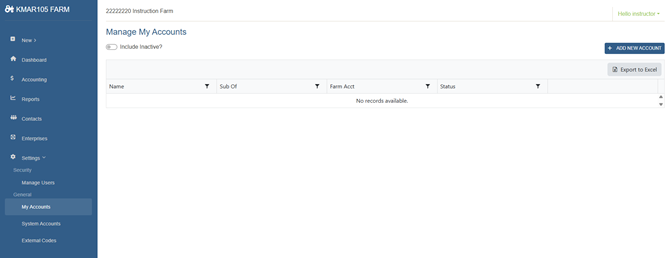
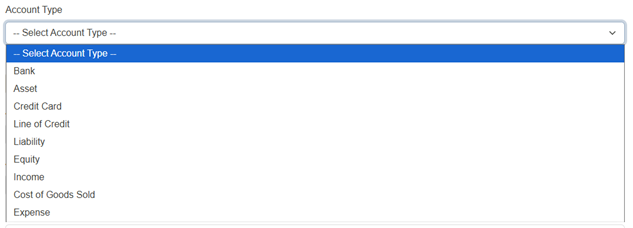
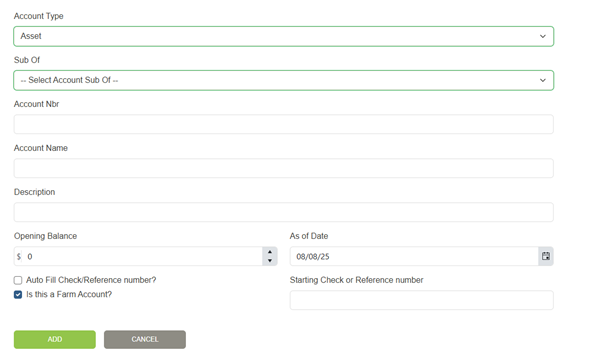
2. Choose your account type from the drop-down menu. Choose your sub of account, add your account number, name, description (if needed), opening balance, as of date. If a checking account add your starting check number and click auto fill box, then click add.
Was this article helpful?
That’s Great!
Thank you for your feedback
Sorry! We couldn't be helpful
Thank you for your feedback
Feedback sent
We appreciate your effort and will try to fix the article